
Shopping for a doorbell camera can feel like a maze. You want clear video, reliable alerts, and easy access to recordings. But many brands lock video history behind monthly fees that add up—often around $10 per month.
This guide helps you balance the upfront cost of the device against ongoing cloud plans. You’ll see picks that blend low hardware prices and fair subscription options, plus models that let you skip paid plans entirely.
We preview top value choices—Google Nest, Blink, Ring, Arlo, and the hybrid Tapo—and explain who each fits best. You’ll learn to spot doorbells that advertise low prices but hide key features behind paywalls.
We’ll also compare cloud vs local storage (microSD or hub) so you understand tradeoffs for privacy, access, and cost. The goal is practical: better alerts, clear footage, and straightforward access to recorded evidence when you need it.
Key Takeaways
- Balance device price and monthly plans to find true value.
- Some brands charge for recorded video and advanced alerts.
- Google Nest, Blink, Ring, Arlo, and Tapo suit different needs.
- Subscription-optional models offer lower long-term cost and local options.
- Decide between cloud convenience and local control for recordings.
Why cloud storage matters for your video doorbell camera in 2026
How your footage is stored often decides whether you’ll have usable proof when you need it most. If a thief takes the device, on-device clips can vanish. Off-device archives keep recordings safe.
When cloud recording beats local backup for evidence and backups
Cloud recording creates an off-device backup that you can access from anywhere. That matters if your doorbell camera is damaged or stolen.
Cloud also makes sharing clips with police or neighbors quicker than pulling a microSD card.
What “free cloud storage” really means
Many makers include a short free window. For example, Nest keeps three hours of video history before clips delete unless you subscribe.
This short window works if you respond fast to phone alerts, but it fails if you sleep, travel, or miss a notification.
| Feature | Cloud | Local (microSD) |
|---|---|---|
| Off-device backups | Yes | No |
| Works during internet outage | No (needs upload) | Yes |
| AI features | Stronger (cloud processing) | Limited or unavailable |
| Monthly fees | Often required for long-term recordings | One-time cost for card |
Next: you’ll see which plans unlock real-world features and how fees change the value of a video doorbell.
What “affordable” means for smart doorbells in the United States
To judge value, count the device price and the monthly plan you’ll actually pay over time. Total cost of ownership combines the doorbell hardware and recurring fees across the years you keep it.
A low upfront price can be misleading if key video and alert features require a subscription. Many models let you view live video but lock recorded clips, person alerts, or downloads behind a paywall.
Upfront vs ongoing
Think beyond the boxed price. If you plan to keep a doorbell for three to five years, a $5 per month plan quickly adds up.
Typical plan tiers and what they unlock
- Basic (about $3–$5 per month): short history and simple motion clips.
- Mid (about $5–$8 per month): longer retention, person/package alerts, richer AI features.
- Premium ($8–$20 per month): 24/7 recording, extended retention, advanced detections.
Reality check: common monitoring plans in the US run roughly $3–$10 per month. Examples: Blink near $4, Ring Protect around $5, Arlo from about $8, and Nest plans often start near $8 with higher tiers at $10+.
Tip: Watch the fine print. “Subscription optional” can still mean limited functionality unless you pay. Later we’ll add up multi-year totals so you can see when a cheap doorbell becomes expensive.
Quick checklist for choosing the right video doorbell for your door
Begin with your front door’s layout and daily routines; that will steer you to the right camera features faster than marketing claims.
Video quality and field of view
1080p is fine for faces at the porch. Choose 2K or 4K if your path is long or wide.
Aim for about 130–150° field of view. Wider views catch more, but they can flag street traffic as motion.
Night vision options
Infrared gives discreet, black-and-white vision at night. Color night vision uses lights for clearer images.
Pick infrared if you want low glare; pick color if identification at night matters more.
Motion, person detection, and alerts
Look for configurable motion zones to cut false alarms. Basic motion works, but person and package detection may require a paid plan.
Two-way audio and smart home fit
Test talk and listen clarity before buying. Quick-reply or canned messages help when you can’t answer live.
For hands-free viewing, pick devices that stream to Alexa or Google smart home displays.
| Need | Minimum | Recommended |
|---|---|---|
| Resolution | 1080p | 2K for wide yards |
| Field of view | 120° | 130–150° |
| Night vision | Infrared | Color night vision |
| Detection | Motion | Person/package alerts |
Best overall value with cloud storage: Google Nest Doorbell options
If you want real off-device backups without committing to a monthly plan right away, Nest is a solid pick. It pairs fast live view and easy setup with sensible upgrade options.
Free three-hour video history and real-life fit
Nest includes a three-hour free video history that can catch recent incidents if you check alerts quickly. That short window is handy for same-day events but is not a long-term archive.
AI alerts for people, packages, animals, and vehicles
The doorbell camera uses AI to sort motion into people, packages, animals, and vehicles. That detection cuts down false notifications and helps you spot the items that matter.
When a subscription makes sense for recordings
Upgrade if you need longer recordings, familiar-face recognition, or 24/7 recording. Nest also has a built-in buffer that can hold about an hour during power loss, and some plans enable continuous recording per Wirecutter notes.
| Strength | Free tier | Paid upgrade |
|---|---|---|
| Short-term archive | 3 hours | Days to weeks (plan-dependent) |
| AI alerts | People/package/animal/vehicle | Familiar faces, richer tags |
| Usability | Fast app notifications, easy live view | Advanced clips and exports |
Buyer fit: Nest works best if you already use Google Home, though it still plays basic roles in other ecosystems. Check your needs for long-term recordings before you skip a plan.
Best budget-friendly cloud plan: Blink Video Doorbell for simple security
Blink’s video doorbell targets buyers who want low upfront cost and simple, dependable recording. It usually sells around $50–$70 and pairs easily with the Blink app for basic monitoring.
Choose how you record: pay about $4 per month for cloud storage and easy off-site archives, or skip that fee and use free local storage via the included Sync Module hub. The hub can also host a microsd card on some setups for local clips.
What to expect from 1080p and infrared night vision
1080p video works well for up-close porch interactions and package ID. It won’t match 2K or 4K detail at longer distances, so set realistic expectations for facial clarity.
Infrared night vision gives reliable black-and-white images after dark. It’s less flashy than color spotlight modes, but it stays visible without drawing attention.
Practical notes: battery life, motion alerts, and app simplicity
The battery option makes installation easy for renters and quick installs. You should plan for recharges during heavy traffic or cold weather to keep continuous coverage.
Blink shines in simple security: basic motion alerts, a no-frills app, and easy pairing to add more cameras affordably. Value warning: if you want recorded video available off-site, treat the subscription as part of the real price—not an optional extra.
“If cloud clips matter, factor the monthly fee into your total cost of ownership.”
Best for Alexa-first homes: Ring Battery Doorbell Pro with cloud recording
If your home runs on Alexa and Echo devices, the Ring Battery Doorbell Pro feels native to that setup. It pairs battery convenience with Alexa greetings and quick automations that make daily use easier.
Ring Protect plan basics and recorded video access
Reality check: Ring requires a Ring Protect subscription to view recorded video. Without the plan you’ll keep live view and basic alerts, but recorded clips are behind the paywall.
The plan costs about $5 per month and unlocks cloud recording, longer history windows, and clip downloads for sharing with police or neighbors.
Advanced motion features like radar sensing and Bird’s Eye View
The Pro adds radar-assisted motion and Bird’s Eye View so you can see how someone moved across your yard. Detection is tighter, which cuts false alarms and improves useful alerts.
That matters if you have a long driveway or many deliveries. The radar helps track motion across zones while Alexa automations can greet guests or trigger lights.
| What it adds | Benefit | Tradeoff |
|---|---|---|
| Cloud recording | Off-device backups and clip access | Monthly subscription needed |
| Radar motion detection | Better tracking and fewer false alerts | Higher price vs simpler models |
| Alexa integration | Hands-free view and greetings | More locked-in system |
Buy if: you use Echo devices, want advanced motion tracking, and value easy clip access. Skip if: you won’t use recorded video or prefer a microSD hybrid to avoid ongoing fees.
Best premium experience if you’re okay paying monthly: Arlo Video Doorbell 2K
If you want top-tier porch coverage and don’t mind a monthly fee, the Arlo Video Doorbell 2K is built for that choice. It pairs higher-resolution video with a wide view and polished app features that aim to “just work.”
Why 2K resolution and a wide view can be worth it
2K video quality gives clearer facial detail across longer distances. That matters when someone stands off to the side or a package sits near the edge of the porch.
The broader field of view captures more context—package placement, side approaches, and porch edges—so you miss fewer events.
Subscription requirements and compatibility with Arlo security systems
Be upfront: the doorbell’s best recordings and advanced detections rely on a subscription, typically starting around $8 per month. Without it you keep live view and basic alerts, but not the full archive or premium AI features.
If you already own Arlo cameras or plan to build a single system, compatibility simplifies management. One app, shared automations, and unified security settings make a noticeable difference in everyday use.
- Buy this if: you’ll use the app features, export clips, and value top-tier audio and video.
- Skip this if: you rarely review recordings and prefer a one-time cost option.
Best hybrid pick: Tapo video doorbells with microSD card or cloud storage
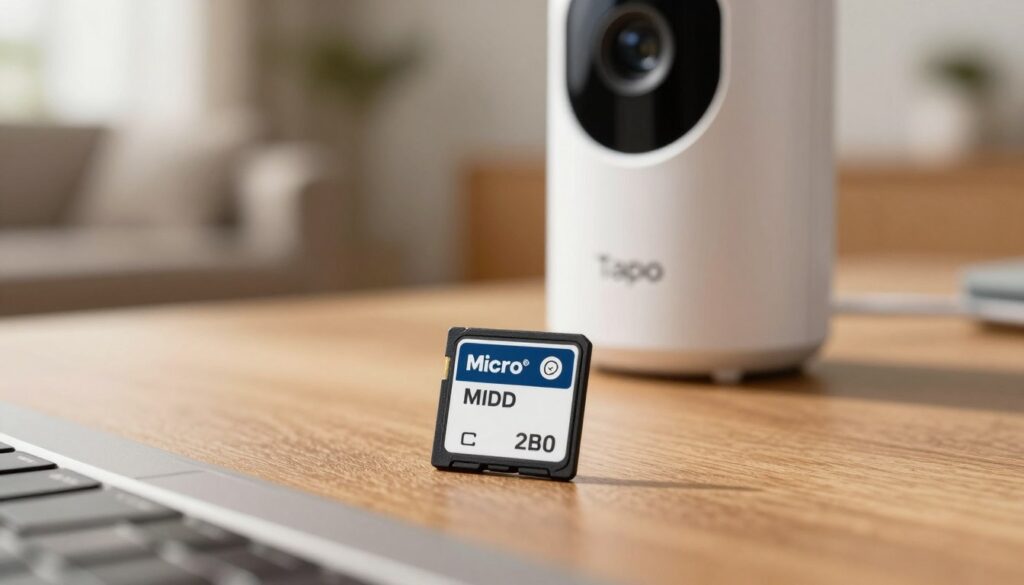
Tapo’s hybrid models let you keep clips on a card today and switch to online backups later. That flexibility makes these doorbell cameras a great middle ground if you aren’t sure which path you’ll prefer.
How to pick between an on-card set up and a low-cost plan
Choose a microsd card if you want zero monthly cost and direct control over files. Local storage keeps your footage on-site, so you don’t rely on remote accounts.
Pick the low-cost cloud option (~$3.50 per month) if you want easier backups, simple sharing, and longer retention without fiddling with a card.
AI detection and smart home fit
Expect free AI detection for common items like people and pets. That reduces false alarms and keeps alerts useful day to day.
Compatibility: Tapo works with Alexa and Google Assistant, so the devices fit into many smart home setups for hands-free viewing and routines.
- You can start on a microsd card and add the paid plan later—no locked-out features.
- Watch overwrite rules and export clips before they loop over.
- The low-cost option buys easier sharing and longer history, while the card gives you direct control.
Affordable smart doorbells with cloud storage that won’t trap you in a plan
A true subscription-optional doorbell keeps live view, motion alerts, and two-way talk usable from day one. That means you won’t lose the basics if you skip a plan.
What “won’t trap you” really means: the device still sends motion or person alerts, lets you check live video, and supports two-way audio. It should also offer at least one recording path (local card or short free cloud window) without forcing a subscription.
What to watch for on product pages
Look for the phrase “no monthly fees required”. That wording beats vague terms like “subscription optional,” which can hide limits.
Read the fine print: see whether person detection, package alerts, or recorded video require a subscription.
Common paywalls and quick sanity checks
- Recorded video history — is it disabled or just shortened without a plan?
- Person detection and richer AI alerts — are these locked behind subscription only?
- Clip exports and sharing — can you download footage without paying?
Before you buy, test the product page and support FAQ: find the exact feature list for non-subscribers so you know what you actually get.
“No monthly fees required” is the clearest promise; anything softer deserves a closer look.
Red flags: recorded clips entirely disabled, AI alerts locked, or vague retention policies. The best value is not just cheap hardware—it’s getting the features you expect without a surprise monthly bill.
Best no-subscription alternatives when cloud storage isn’t your priority
If you want reliable on-site recording and to avoid monthly fees, these doorbell picks focus on local control. They give solid video, useful detections, and clear trade-offs so you can pick what matters.
Lorex: top image detail and included card
Lorex ships a 32GB microsd card and supports upgrades to 256GB. That local storage keeps your clips on-site and helps preserve video footage if the unit is stolen.
Why it stands out: 4K video quality helps ID faces and plates, free person detection reduces false alerts, and color night vision improves low-light clarity.
Wyze: lowest upfront price, optional cloud features
Wyze is the cheapest option if you mainly want a camera for basic monitoring. It offers 2K and color night vision as an inexpensive entry point.
Note the tradeoff: some AI detection and expanded cloud features may require a subscription. Treat that as an optional add-on, not a given.
Eufy: package focus and battery flexibility
Eufy E340 uses a dual-lens view to protect packages and offers many functions without subscription. Battery power makes it easy to install on rentals or odd wiring.
The catch: expanded local retention may need a HomeBase hub purchase. Still, Eufy balances detection accuracy and battery convenience well.
| Model | Resolution | Local storage | Night vision | Battery |
|---|---|---|---|---|
| Lorex | Up to 4K (high video quality) | 32GB included (upgrade to 256GB) | Color night vision | No (wired) |
| Wyze | 2K | MicroSD option / cloud option | Color night vision | Battery or wired option |
| Eufy E340 | 2K dual-lens (package focused) | Local via HomeBase (optional) | Infrared / color modes | Battery-powered |
Quick pick: choose Lorex for best image and included microsd card, Wyze for lowest price and basic video, and Eufy if battery power and package protection top your list.
Cloud storage vs. local storage for doorbell camera recordings
Deciding where your doorbell keeps video matters for how reliable, private, and long-lasting your footage will be. One choice favors hands-off convenience and off-site backups. The other gives you direct control and often no recurring fees.
Reliability during internet outages
Local storage often keeps recording even when the internet drops. That means your doorbell camera can still capture events and save them to a microSD or hub. Some cloud-first models buffer a short period—Nest, for example, can hold about an hour if power fails—but most need a working connection to upload clips and send remote alerts.
Privacy and control over your video footage
Keeping files on a card or local hub keeps your video footage on your property unless you choose to share it. That reduces third-party access and ongoing account risk. By contrast, provider-hosted archives require trusting that company’s security and retention rules.
Storage management: overwriting, downloading, and archiving
Local cards overwrite in a loop once full. That makes periodic reviews and manual downloading essential if you want long-term copies. Cloud plans also auto-delete after set retention windows—sometimes 10–60 days—so important clips should be downloaded to your computer or an external drive.
Practical summary
- Choose local storage if you want privacy, offline reliability, and no monthly fees.
- Choose provider-hosted archives if off-site backup, easy sharing, and quick searching matter most.
- Best practice: use a hybrid approach—local recording plus occasional cloud backup or regular downloads—for evidence preservation.
| Comparison | Local (microSD / hub) | Provider-hosted |
|---|---|---|
| Records during internet outage | Yes | No (uploads paused) |
| Privacy & control | High — you hold the files | Lower — provider holds archives |
| Retention behavior | Loop overwrite; manual export needed | Auto-delete after plan limits (10–60 days) |
| Convenience for sharing | Manual download and send | Easy search & share via app |
Real-world cost comparison: doorbell price plus subscription over time
Crunching the real numbers shows how a low monthly fee can flip a bargain into a long-term expense. You should judge any purchase by total cost, not just the box price. That means adding per month fees to the hardware price and any accessory costs.
What $3 to $10 per month adds up to
Use this quick math to compare plans. Start with a $100 doorbell and add the subscription fee.
| Monthly | 1 year | 3 years | 5 years |
|---|---|---|---|
| $3 | $136 | $208 | $280 |
| $5 | $160 | $280 | $400 |
| $8 | $196 | $388 | $580 |
| $10 | $220 | $460 | $700 |
Numbers assume a $100 device price plus monthly fees; your totals will change if you buy higher-resolution or multi-camera kits.
When the “cheaper” option becomes costly
A low upfront price loses its appeal when a subscription is required for key video features or long-term archives. For example, a $50 model plus $5 per month can cost more than a $150 unit that uses local storage after three years.
Factor in: additional purchases like microSD cards, hubs, and extra chimes. Also check whether a subscription covers multiple cameras — that can improve value if you expand later.
“Judge purchases by true total cost of ownership, not just the sticker price.”
Quick decision framework
- Estimate how often you’ll access recorded video and which features you need.
- Run the math: hardware + (per month × years you expect to keep it).
- Prefer local options if you rarely review clips; prefer a subscription if you rely on long retention and easy sharing.
Installation and power: battery vs. doorbell wiring for your home
Whether you choose battery power or hardwiring changes how the doorbell fits your home and routine.
Battery models are the easiest route for renters and homes without existing wiring. Expect typical battery life of about 2–6 months under normal use. Cold U.S. winters cut that span, and frequent motion events speed drain.
Recharging is simple but required. Plan for extra maintenance if you live in a busy neighborhood or in cold climates.
Wired installs give steady power and fewer interruptions. A hardwired setup means the unit often records video reliably and you replace batteries less.
Installation usually takes about 30–60 minutes. Many brands provide clear guides, but check compatibility: not all homes have the correct wiring for modern units.
Transformer and wiring checks
Most models need 16–24VAC from a transformer. If your transformer is older or weaker, the doorbell may not power correctly and the system won’t behave as expected.
| Item | What to check |
|---|---|
| Voltage | Confirm transformer is 16–24VAC |
| Existing wiring | Check compatibility or plan for an upgrade |
| Install time | About 30–60 minutes for most DIY installs |
Practical tip: test Wi‑Fi at the front door before mounting. Weak signal causes lag, missed alerts, and faster battery drain, so fix your network first to make the doorbell work well with your app and system.
How to get better alerts and fewer false notifications
Taming constant pings starts by teaching your doorbell what matters and what to ignore.
Motion zones, sensitivity, and aiming for your walkway
Open the app and draw custom motion zones to ignore the street and focus on your porch, steps, and package spot.
Set sensitivity low enough to block passing cars but high enough to catch deliveries. Test for a week and tweak each day.
Aim the camera slightly downward to cut sky glare and reduce sidewalk triggers while keeping faces in view.
Choosing person detection vs. basic motion detection
Person detection trims spam by alerting only when people appear, but note some brands gate that feature behind a paid plan.
Basic motion catches anything that moves. It’s fine for quiet porches but will trigger more alerts near busy streets.
- Prioritize person detection if your porch faces heavy foot or car traffic.
- Use basic motion if activity is rare and you want no subscription requirement.
- Review alert history monthly and adjust zones seasonally as light and foliage change.
“Tune alerts to be useful, not noisy.”
Smart home integration tips that make your doorbell work harder
A well-integrated doorbell can trigger lights, announcements, and quick video on your displays. These small automations make everyday tasks smoother and improve security without extra effort.
Viewing live video on smart displays and hands-free answering
Push live video to an Echo Show or Nest Hub so you can see visitors without grabbing your phone. Many devices stream directly from the doorbell and let you answer hands-free while you cook or work.
Tip: test live view before depending on it. Some integrations require a specific app or account permissions to stream to displays.
Automation ideas: lights on motion and broader routines
Use motion triggers to turn on porch lights, announce a visitor across speakers, or start a night routine. These automations reduce missed deliveries and add a layer of deterrence after dark.
- Turn lights on when motion is detected to improve identification.
- Announce rings on indoor speakers so you hear visitors in larger homes.
- Create a “delivery” routine that records video and sends an extra alert.
Heads up: check whether features like advanced automations need a subscription or specific ecosystem support before you buy.
Match your ecosystem: Alexa-first homes get smoother pairing with Ring or Blink; Google Assistant setups pair best with Nest. Start with one automation—lights on motion—and tune your alerts first, then add more routines once your system behaves the way you want.
“Begin small, test, then expand—your doorbell works best when it’s part of a tuned system.”
Conclusion
Choose a doorbell that keeps the video you need and fits the total cost you’re willing to pay. Compare three‑year totals, hardware tradeoffs, and how often you’ll review clips.
Quick recap: Nest gives a short free history plus strong AI alerts. Blink lets you pick low-cost cloud storage or local hub recording. Ring suits Alexa-first homes but needs a plan for recorded video. Arlo is best if you’ll pay monthly for premium video. Tapo is the flexible hybrid pick.
Remember the big gotcha: recorded video often locks behind a subscription, so check retention and per month fees before you buy.
Match your choice to porch layout, night‑vision needs, and whether you prefer battery or wired power. If privacy matters, favor local storage or hybrid setups and download important clips promptly.
Action step: shortlist 2–3 models, compare true three‑year cost, then pick the one that fits your ecosystem and security preferences.
FAQ
What is the difference between cloud recording and local storage on a video doorbell?
Cloud recording uploads your doorbell footage to a remote server so you can access it from anywhere and keep backups if the device is stolen. Local storage uses a microSD card or a local hub to save files on-site. Cloud helps with off-site backups and easy sharing; local storage avoids monthly fees and gives you direct control of recordings.
Do doorbell cameras work without a subscription?
Many models work without a subscription for live view, real-time alerts, and two-way audio. However, features like extended cloud history, advanced AI person or package detection, and event video downloads often require a monthly plan. Brands like Eufy and some Wyze setups let you keep core functions without paying.
How much does cloud access typically cost per month?
Most cloud plans range from about to per month per device or per household plan. Lower-cost plans cover short video history and basic motion clips. Premium tiers add longer retention, higher resolution clips, and AI alerts for people, vehicles, or packages.
Can I use a microSD card instead of cloud storage?
Yes. Several doorbell models support microSD cards or local hubs that record footage locally. This avoids recurring fees and keeps footage private, but you won’t have remote backups if the camera is damaged or stolen unless you also regularly download clips elsewhere.
What resolution and field of view should I look for to cover my porch?
Aim for at least 1080p for clear facial detail at typical porch distances. Wider fields of view (120° or more) capture both the porch and nearby walkways. If you have a wide entry or set-back walkway, consider 2K options to preserve detail across a broader scene.
How reliable is night vision on these cameras?
Night vision varies by model. Infrared (IR) monochrome night vision works well in total darkness. Color night vision uses a low-light sensor or auxiliary lighting for more natural color at night. Check sample night clips to match performance to your porch lighting conditions.
Will a battery-powered doorbell last through winter?
Battery life can drop in cold weather. Many manufacturers rate batteries for seasonal use and recommend wired power for consistently harsh winters. If you choose battery power, look for removable batteries or fast charging and plan for more frequent recharges in cold months.
Do I need existing doorbell wiring to install a video doorbell?
Not always. Some doorbells are battery-powered and install without wiring. Others require a wired connection or a compatible transformer for continuous power and chime integration. Check the doorbell wiring requirements and your transformer voltage before buying.
How good are two-way audio and quick-reply features?
Two-way audio quality depends on mic and speaker hardware plus app latency. Many modern doorbells offer clear voice and quick-reply canned messages you can trigger from the app. For best results, test live talkback in-store demos or watch user reviews for latency and clarity.
What kinds of motion detection and person alerts can I expect?
Basic motion detection triggers on movement and can cause false alerts from cars or animals. AI-driven person alerts reduce false positives by identifying human shapes, and higher-end systems can detect packages, vehicles, and animals. Some platforms allow motion zones and sensitivity tuning to focus on your walkway.
How does cloud retention length affect evidence value?
Longer retention means footage stays available for days or weeks, increasing the chance you can retrieve evidence after an incident. Short retention (a few hours) may miss key events. If you need long-term access, compare each plan’s retention period before buying.
Are subscription plans tied to single devices or household accounts?
It depends on the brand. Some services charge per camera; others offer family or household plans that cover multiple devices for a single fee. Evaluate the number of cameras you’ll run to decide which pricing model is more economical.
Can doorbell footage be downloaded for long-term archiving?
Yes. Most apps let you download clips to your phone or computer for local archiving. With cloud subscriptions, you can usually export footage. For microSD or local hub setups, you can remove the card or transfer files to a computer or NAS for safekeeping.
How do I reduce false notifications from my doorbell camera?
Use motion zones, lower sensitivity, and enable person-only alerts where available. Aim the camera to avoid busy streets and move trees or reflective surfaces that trigger motion. Regularly update firmware and adjust settings based on the time of day and seasonal changes.
What smart home integrations should I prioritize?
Choose a doorbell that works with your voice assistant and displays. Alexa and Google Assistant let you view live video on smart displays and answer hands-free. If you use HomeKit, confirm compatibility for secure, local control and Siri access.
If my internet goes out, what features will still work?
Live cloud features and remote access stop during an outage. Local features like chime triggers or microSD recording may continue if the device supports on-site storage. Some systems buffer short clips locally and upload them once the connection returns.
Do higher-resolution doorbells (2K or 4K) need more bandwidth?
Yes. Higher resolution requires faster upload speeds and more cloud storage. If your home upload speed is limited, you may face reduced live-stream quality or increased data usage. Check bandwidth needs in product specs and consider 1080p if your internet is constrained.
How do manufacturers handle privacy and who can access my videos?
Reputable brands use encrypted connections and account authentication. Review privacy policies, two-factor authentication options, and whether the company accesses footage for diagnostics. Local storage options give you more direct control over who can see recordings.
What should I check on installation for best coverage?
Mount the camera at eye level for clear faces, angle it slightly downward to avoid sun glare, and secure a stable Wi‑Fi signal at the door. If you have a wired model, verify transformer compatibility and trim vegetation that blocks the view.
Can multiple users access the doorbell app and recordings?
Yes. Most systems let you add household members with controlled permissions. Some platforms also allow temporary guest access for neighbors or caregivers. Manage user access carefully to keep your footage private.
How do I choose between brands like Google Nest, Ring, Arlo, Blink, Wyze, Eufy, Lorex, and TP-Link Tapo?
Match the brand to your priorities: Nest for integrated AI and Nest Aware tiers, Ring for Alexa-first homes and Ring Protect, Arlo for higher-res premium systems, Blink for low-cost cloud options, Wyze for budget features with optional cloud, Eufy for local-first privacy, Lorex for high-res no-cloud setups, and Tapo for hybrid microSD or cloud flexibility. Compare video quality, subscription terms, and smart home compatibility.
Disclosure: We independently research and test products. If you purchase through our links, we may earn a small commission at no extra cost to you. This supports our work.

About the Author
Igor Silva is the founder of CNF Products Offer, where he researches, tests, and shares honest recommendations on everyday products—from non-toxic kitchen tools to smart gadgets for small apartments.
Based in São Paulo, Brazil, Igor believes that living well in a compact space doesn’t mean compromising on safety, functionality, or style. His mission is to cut through fake reviews and overpriced hype by highlighting only verified, affordable, and truly useful options.
When he’s not testing cordless drills or comparing cloud storage plans, you’ll find him organizing kitchen drawers or planning his next tiny-office upgrade.