
Looking to buy a simple power tool that won’t break the bank? This roundup explains what “cordless screwdrivers for beginners under 50” means in the U.S. market and why we focus on easy, low-risk picks you can start using today.
You’ll get straight answers about models built around beginner needs: simple controls, decent battery life, and enough torque for everyday tasks without overwhelming you.
We preview three main picks — Black+Decker BDCSFL20C, Skil SD561201 with Circuit Sensor, and Amazon Basics 4V stick — and explain which jobs each fits best. You’ll learn how we judge “best value” under this price range: grip comfort, speed, torque control, LED usefulness, and included bits or kit extras.
Finally, we’ll help you decide when to skip a small driver and move up to a drill or impact driver. By the end, you’ll know which product matches your tasks, hand comfort, and charging preferences.
Key Takeaways
- Clear expectations for what low-cost models can and can’t do.
- Focus on ease of use: controls, battery life, and torque balance.
- Three real models previewed with real use-case fits.
- Value judged by comfort, speed, control, LED, and extras.
- Guidance on when to choose a drill or impact driver instead.
Why a cordless screwdriver is a smart first power tool for your home
If you want an easy first power tool, choose one designed around driving screws instead of drilling holes. A compact cordless screwdriver gives you the exact control you need for light household work without the size and noise of bigger machines.
What a cordless screwdriver does best for light-to-medium jobs
These tools shine on quick tasks: hanging pictures, tightening cabinet hinges, swapping outlet covers, and small assembly. You get fast torque that handles most screws and reduces wrist strain compared to manual turning.
Bob Vila puts it plainly:
“A handy, less powerful alternative to a drill for tightening and removing screws quickly.”
Where it falls short compared to a drill or impact driver
Compared with a drill, a compact driver lacks drilling ability and sustained power for dense materials. A drill adds speed and torque for holes and longer fasteners.
Compared with an impact driver, it is gentler. Impact drivers crush through stubborn fasteners but can easily over-drive or damage delicate finishes if you’re still learning.
Quick decision rule: pick a screwdriver when you need precision and low fatigue. Upgrade to a drill or impact driver when you need extra power or drilling capability for tougher projects.
What “under $50” really gets you in today’s cordless screwdriver market
You’ll mostly buy simplicity and convenience, not heavy-duty power. Most models in this range use 3.6V–4V motors with a built-in battery and USB charging. Bob Vila’s testing looked at tools from $25 to $276, and the lower price tier clusters around lightweight use.
Built-in battery vs removable packs
Built-in battery designs dominate here because they keep things compact and plug-and-play. That means fewer parts to manage and less upfront cost.
Removable batteries show up on pricier platforms, where you benefit from spare packs and faster swap-outs.
Realistic torque, speed, and accessories expectations
Expect modest torque—good for drywall, cabinet hardware, and light assembly but likely to bog down in dense hardwood. Speed is intentionally lower than a drill, which helps you control the screw and avoid mistakes.
Accessories matter: a larger bit set or a case often gives more real value than a tiny increase in power.
| Model | Battery / charging | Bits included | Notes |
|---|---|---|---|
| Amazon Basics 4V | Built-in battery, USB-C | 34-piece kit | Best kit value |
| Skil SD561201 | Built-in battery, micro-USB | 10 bits | Circuit sensor option |
| Black+Decker BDCSFL20C | Built-in battery, plug-in charger | 2 bits | Straightforward charging |
How to choose cordless screwdrivers for beginners under 50
Choosing the right driver starts with three practical priorities: control, speed, and fit. Use this short guide to compare key features before you buy.
Torque and clutch settings to avoid stripped heads
Adjustable clutch settings reduce cam-out and prevent stripped screw heads. Bob Vila notes that a clutch helps stop over-tightening into soft drywall. If a model lacks a clutch or variable torque, it will be harder to protect delicate finishes.
RPM and speed control for different tasks
Low rpm gives you steady control for cabinet hardware and trim. Higher rpm helps with many quick, repetitive fastener jobs. Skil’s model lacks variable speed and clutch, so it can feel less forgiving on delicate tasks.
Grip style and real-world reach
Straight barrel fits tight cabinet corners. Pistol grips add leverage for longer runs. Convertible designs give both options so you can work behind appliances and in closets.
LED brightness and bit compatibility
Black+Decker’s led was notably bright. Amazon Basics’ led shines less in dark closets. Prioritize models that accept ¼-inch hex bits and quick-change chucks so you can swap worn bits or use a nut-driver for small bolts.
- Checklist: torque control, speed/rpm, then ergonomics and bits.
Best overall value pick: Black+Decker BDCSFL20C 4V MAX Cordless Screwdriver
The BDCSFL20C earns the top spot when you want a simple, reliable tool that covers most household tasks. It balances price, ease of use, and useful extras you’ll notice on the first job.
How the three-position handle expands reach
The driver shifts between straight, 45°, and right-angle positions. Straight is best for normal driving. The 45° setting helps on awkward angles. Right-angle mode fits tight cabinet and furniture clearances.
Common use cases that suit this tool
With a 4V motor and up to 180 RPM, it excels at drywall screws, quick household fixes, and light assembly. The bright built-in LED improves visibility in closets and under sinks.
Limits to know before you buy
Low torque means it struggles with dense hardwood or long screws. If you plan big builds, upgrade to a drill or impact driver with more sustained power.
| Feature | BDCSFL20C | Why it matters |
|---|---|---|
| Handle positions | Straight / 45° / right-angle | Better reach in tight spots |
| Battery / speed | 4V, 180 RPM | Good control for light tasks |
| Lighting & bits | Very bright LED, 2 bits | See screw head and start fast |
Best safety-focused pick for outlet covers and switch plates: Skil SD561201 4V with Circuit Sensor
If your projects include outlet covers and switch plates, this model adds a useful safety check before you start. The Skil SD561201 is focused on quick electrical-area tasks where awareness matters more than raw power.
How the circuit sensor helps you avoid live-wire surprises
Press the sensor button near the plate. The tool beeps and flashes red when it detects live voltage. That instant alert helps you stop and re-evaluate before you remove a cover.
It’s not a substitute for a full tester or professional wiring work, but it adds a layer of awareness for quick swaps and checks.
What you get: dual LEDs, included bits, micro-USB charging
Specs you should know: 4V battery, 230 RPM speed, straight-barrel grip, forward/reverse control, and 10 included bits. Dual LEDs light the work area so you can see screw heads clearly in dim spaces.
Micro-USB charging keeps recharges simple if you already have cables. Note the trade-offs: no adjustable clutch and no variable speed, so you’ll rely on steady trigger control to avoid stripping fasteners. It handles drywall well but will bog down in dense wood.
Best torque control on a budget: Amazon Basics 4V Cordless Stick Screwdriver
If you want predictable torque without a big price tag, the Amazon Basics 4V stick is a smart pick. It gives you three torque steps, a USB-C charging port, and a large bit set in a compact case.
How the three torque settings match common materials
The low setting is ideal for delicate hardware and plastic parts. Use it to avoid stripping soft screws or cracking trim.
The medium setting works well on drywall and general household fasteners. The high setting handles softer woods, but only up to a point.
USB-C charging and daily convenience
USB-C charging means you power the built-in battery the same way you charge your phone. That convenience makes it easy to keep the tool ready between weekend projects.
Where this tool can bog down
The motor reaches up to 300 rpm, which is brisk for light jobs. Still, it can bog down in dense hardwood or with long fasteners. The dim light also means you may need a flashlight in deep cabinets.
| Feature | Amazon Basics 4V | Why it matters |
|---|---|---|
| Torque settings | Three torque | Reduces over-tightening and stripping |
| Charging | USB-C (built-in battery) | Easy top-up with common cables |
| Kit | 34-piece set and case | Good starter range without extra shopping |
Bottom line: Choose this stick if you want simple torque control and the convenience of USB-C and a full bit set. If you need sustained power for big builds, plan to step up to a drill.
Best under-$50 kits to look for: bit set, case, and must-have add-ons
A smart kit can multiply what a small driver does more than a boost in motor strength. When you shop, compare what comes in the box as closely as you compare RPM or listed torque.
Bit types you’ll actually use
Look for a mix of Phillips and flat head bits for everyday hardware. Add Torx (star) bits for furniture and many fixtures.
Keep a few hex bits on hand for brackets, handles, and small appliance fasteners. A solid bit set with these types saves time and prevents cam-out.
Why a flexible shaft and nut adapter can save a project
A flexible shaft lets you reach screws tucked behind trim or in tight recesses without contorting the tool. ZDNET highlights how this accessory prevents awkward handling and stripped heads.
A nut adapter acts as a project saver when you hit small hex-head bolts on furniture or brackets. Bob Vila notes that a 1/4-inch chuck can double as a nut driver in many kits.
When variety beats extra power
If most of your work is flat-pack assembly and light maintenance, the right variety of bits matters more than raw power. The correct bit fit reduces slippage and speeds up work.
Compare included kits: Amazon Basics bundles a 34-piece bit set and case, Skil offers 10 bits, and Black+Decker includes two bits. Factor the case and bit variety into your value pick.
- Shopping tip: Prioritize a kit and case that expand what you can do, not just higher listed power.
Cordless screwdriver vs impact driver: which one fits your beginner jobs?
Picking between impact tools and standard drivers changes how your project feels. You want to match the tool to the work so you don’t force an upgrade later.
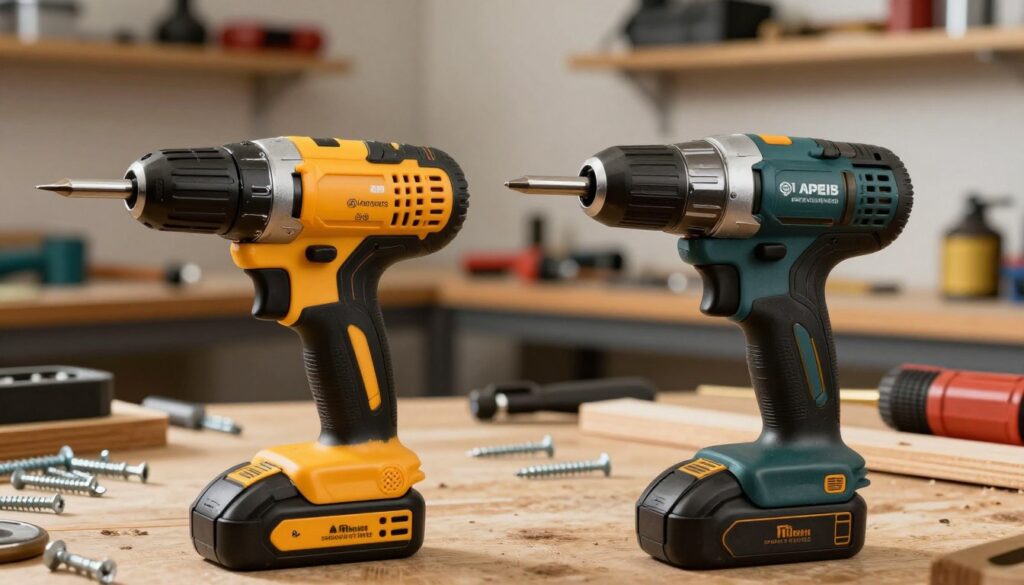
When an impact driver makes sense for stubborn fasteners and big screws
Use an impact driver when you face long screws, deck fasteners, or repeated heavy-duty work. ZDNET notes that impact action adds a rattling, pulsed force that breaks resistance quickly.
This pulsing reduces the chance the motor stalls. It delivers extra torque so you get the job done faster but it can be harsh on delicate finishes.
When a cordless screwdriver gives you better control and precision
Reach for a screwdriver when you need steady, precise driving. Bob Vila points out these tools excel at light-to-medium fastening tasks and are gentler on trim and hardware.
You’ll trade raw torque for better feel and less risk of stripping. That makes them ideal for outlet plates, hinges, and drawer pulls.
“Impact tools add bursts of force that help with big screws, while a small driver gives you gentler, more precise control.”
| Tool | Best use | Why it matters |
|---|---|---|
| Impact driver | Deck screws, structural fasteners, long runs | High torque via impact action — breaks resistance quickly |
| Standard driver | Outlet covers, hinges, light assembly | Lower torque, better control, reduces stripped heads |
| Decision rule | Choose by fastener size and material | Pick impact for brute force; pick a driver for precision |
Simple rule: choose an impact driver when you need brute force for stubborn fasteners and choose a screwdriver when precision and control matter more.
Beginner-friendly features that make jobs easier (and mistakes rarer)
Picking the right features can cut your learning curve and keep small jobs tidy. Focus on functions that reduce stripping, improve sight lines, and match how you hold the tool. These practical design choices matter more than raw specs when you work around the house.
Adjustable clutch and “cancel clutch” drill mode explained
Adjustable clutches limit torque so you stop short of over-driving screws. Bob Vila highlights that a clutch reduces stripped heads and protects soft materials.
Cancel-clutch or drill mode bypasses that torque limit when you need continuous drive, as seen on some higher-end models. Use it sparingly — it’s handy for fast drilling but can easily over-tighten or damage trim if left on by mistake.
Inline vs pistol grip ergonomics for your hand and wrist
Inline grip designs reach deeper into tight spaces and fit behind cabinet frames. They often let you tuck your hand along the body for precise alignment.
Pistol grips feel natural when you push straight into a screw. They usually offer more leverage during longer runs and reduce wrist bend during repetitive tasks.
Real comfort depends on balance, trigger placement, and handle shape. Try to match the grip style to the tasks you do most to avoid wrist fatigue.
Guide lights and ring lights: what actually helps you see
Not all lights are equal. Black+Decker’s led was notably bright and useful in close quarters, while Amazon Basics’ led proved dimmer in tests.
Ring lights and forward guide lights help when the beam aligns with the bit. If the light sits off-axis it can cast shadows and still leave screw heads hard to see. For deep cabinets, a separate flashlight may be more reliable.
| Feature | What it does | Why it helps you |
|---|---|---|
| Adjustable clutch | Limits torque in set stages | Prevents stripped heads and over-driving |
| Cancel-clutch (drill mode) | Bypasses torque limits for continuous drive | Useful for drilling; use carefully to avoid damage |
| Inline grip | Straight-barrel reach | Access tight spots and align bits precisely |
| Pistol grip | Ergonomic leverage | Reduces wrist strain during longer runs |
| Guide / ring light | Illuminates screw head area | Bright, well-placed lights reduce misses; weak leds may need a flashlight |
Quick tip: prioritize the features that match your common tasks, not the flashiest design. The right clutch, a comfortable grip, and a useful light will save you time and mistakes.
Realistic jobs you can tackle with a cordless screwdriver
Start by matching simple weekend jobs to the tool’s real strengths, and you’ll avoid buying more power than you need. These compact drivers shine when you pick tasks that match their torque and bit fit. Bob Vila notes they cut fatigue and speed up small projects like hanging pictures and tightening hardware.
Furniture assembly and flat-pack builds
Use the driver to handle cam locks, small screws, and repeated fasteners in flat-pack furniture. Controlled torque reduces stripped cam locks and keeps parts aligned as you work.
Cabinet hinges, drawer pulls, and small hardware tightening
The compact size helps you reach inside cabinets and tight corners. Consistent torque makes hardware feel solid without cracking trim or splitting softer woods.
Outlet covers, switch plates, and quick home maintenance
Lower power is an advantage when you swap plastic plates or tighten outlet covers—you avoid cracking plates and over-driving screws. A safety-focused model adds peace of mind near electrical boxes.
Quick weekend wins: tighten loose door hardware, swap small brackets, and remove stubborn plate screws without wrist strain. Match torque and the right bit to the fastener and you’ll get the range of common home jobs done with confidence.
Tasks you should avoid (or upgrade tools to handle)
Some jobs will quickly reveal the limits of small drivers—know them so your project survives.
Why avoid long screws in dense wood: driving long fasteners into birch or other hardwood demands sustained torque and stronger gearing. Bob Vila’s testing noted that low-voltage models often bog down and can stall while trying to bite into dense material.
Signs to stop: the tool slows under load, you smell heat from the motor, screws stop turning, or you must finish every fastener by hand. These mean you’re stressing the motor and draining the battery.
When you need real drilling power
Pick a corded or battery drill when your job needs pilot holes, repeated drilling, or large fasteners. A drill with higher RPM and a stronger motor keeps screw heads from stripping and finishes work faster.
Simple upgrade path
- Step 1: move to a compact drill/driver for more power and control.
- Step 2: add an impact driver if you often tackle long screws or stubborn fasteners.
| Issue | Why it fails | What to upgrade to |
|---|---|---|
| Long screws in hardwood | High resistance needs sustained torque | Compact drill/driver or impact |
| Repeated drilling or pilot holes | Low motor power, slow RPM | Drill with higher RPM and battery capacity |
| Tool heats or stalls | Motor overload and battery drain | Stronger motor platform with proper gearing |
Battery life and charging: what to prioritize for weekend DIY
Practical charging wins: the easiest-to-top-up tool is the one you’ll use most often. A good battery and a simple cord mean you reach for the tool on a quick job instead of leaving it on a shelf.
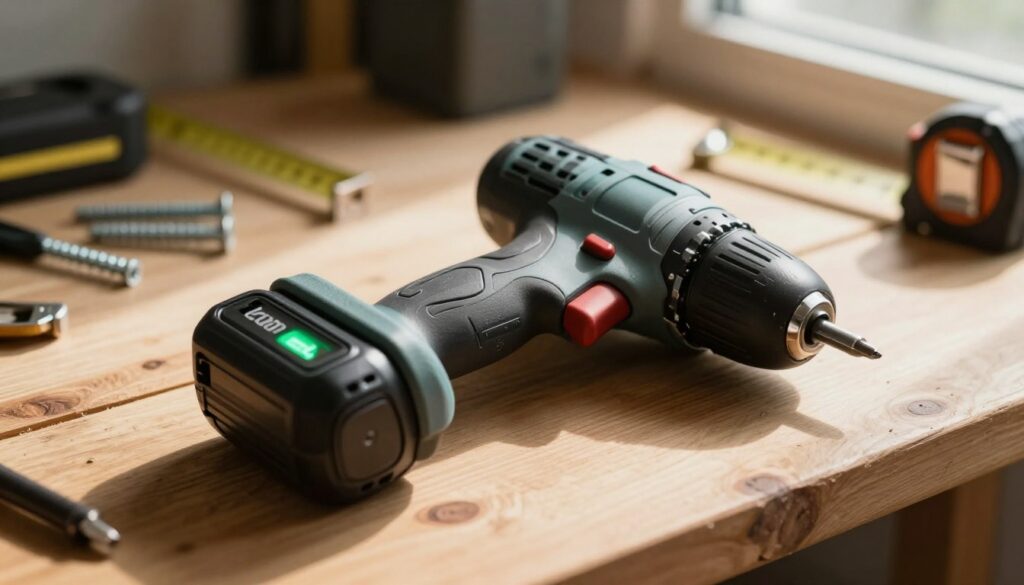
USB-C, micro-USB, and plug-in cords compared
USB-C is the most convenient. Amazon Basics uses USB-C, and ZDNET notes it’s easy to top up with common phone chargers. Micro-USB appears on Skil models and still works, but those cables are less common now.
Black+Decker uses a direct plug-in cord. That is simple but means keeping track of a specific charger.
Plan around charge time and runtime
Built-in batteries keep things compact and reduce parts to lose. The downside is you can’t swap in a fresh pack mid-project.
Charge before a long assembly and top up after use. Battery life claims vary, so match tool choice to your work range: short bursts or long fastening runs.
| Charging type | Example model | Practical note |
|---|---|---|
| USB-C | Amazon Basics 4V | Easy top-ups with common chargers |
| Micro-USB | Skil SD561201 | Works fine, fewer spare cables around |
| Plug-in cord | Black+Decker BDCSFL20C | Simple but single-purpose charger |
Speed, torque, and settings cheat sheet for common fasteners
Start slow, increase torque only as needed, and you’ll save screws and sanity on most home projects.
Drywall vs softwood vs denser wood
Drywall: Use low torque and low speed. Soft materials strip easily, so keep rpm down to seat the screw gently.
Softwood (pine): Raise torque slightly and keep steady speed. You can use mid settings without forcing the tool.
Denser wood (birch): These require more sustained torque than small drivers offer. Upgrade to a drill or impact if the tool stalls.
Preventing cam-out and stripped heads
Apply straight pressure, align the bit with the screw, and start at low rpm to seat the head. If the clutch slips, stop and reassess—don’t force it.
“Adjustable clutch settings reduce stripping.”
Choosing the right bit and when to pre-drill
Match bit size to the screw head and replace worn bits. Standard 1/4-inch bits fit most hex chucks and kits.
- Use Pozidriv or Torx where specified; Phillips often cam-out on high torque.
- Pre-drill pilot holes for dense wood or long fasteners.
- Finish delicate plate screws by hand to avoid over-tightening.
| Material | Suggested torque | Speed / rpm |
|---|---|---|
| Drywall | Low | Low (slow start) |
| Softwood | Medium | Medium |
| Dense wood | High (upgrade tool) | Higher, steady |
Comfort and control: getting the best grip, balance, and reach
How a tool feels in your hand often matters more than its listed torque or RPM. If the grip is awkward, you tilt the bit, slip, and strip screws. Comfort is a true performance feature for everyday jobs.
Why lightweight tools reduce fatigue
Light weight lowers wrist strain when you tighten many fasteners in a row. You can work longer without tiring, which improves accuracy and speed.
Bob Vila notes compact designs cut fatigue and make repeated use easier.
Balance and reach: why head shape matters
Balance affects whether you can keep the bit square to the screw in cabinets or tight corners. A short head and even weight let you stay aligned and avoid cam-out.
Angle and convertible handles for awkward spaces
Convertible handles let you switch from a straight barrel to a right-angle mode. That helps in drawers, behind toilets, and under sinks where a long tool won’t fit.
- Quick control tips: brace your wrist, steady the work with your free hand, and use the clutch rather than forcing the tool.
- If you have smaller hands or wrist issues, prioritize an ergonomic grip and lighter overall weight over extra torque.
Quick comparison: top beginner picks under $50 at a glance
This short comparison highlights what each pick does best and where it may frustrate you on real projects.
Best for household use and quick fixes
Black+Decker BDCSFL20C — 4V, 180 RPM, three-position handle, very bright light, built-in battery.
What you’ll love: versatile handle positions and a bright light that speeds tight-spot work.
What may annoy you: modest torque if you try denser wood or long screws.
Best for electrical plate work and safety checks
Skil SD561201 — 4V, 230 RPM, circuit sensor, dual LEDs, 10 bits, micro-USB charging.
What you’ll love: the circuit sensor adds quick safety awareness when removing outlet plates.
What may annoy you: no clutch or variable speed, so delicate finishes need care.
Best for adjustable torque and simple charging
Amazon Basics 4V — up to 300 RPM, three torque settings, USB-C, 34-piece kit and case, dim LED.
What you’ll love: torque steps and a full kit make it a practical all-around choice.
What may annoy you: the light is dim, so add a flashlight for deep cabinets.
Value note: under $50, prioritize total kit usefulness, charging convenience, and torque/control features over raw numbers. That choice reduces returns and keeps you working confidently.
Conclusion
The smartest purchase stays charged, fits your grip, and handles the jobs you face most weekends.
You want a screwdriver that matches common tasks and gives you control to avoid stripped heads. Pick by comfort, usable torque, and how the bit set fits your needs.
Quick decision: Black+Decker for household versatility, Skil for outlet and switch-plate safety checks, and Amazon Basics for adjustable torque plus USB-C convenience. Each cordless screwdriver here earns its place depending on your chores.
Remember limits: these compact tools handle light-to-medium fastening, not dense hardwood or long structural screws. Prioritize battery and charging style so the driver is ready when you are. Choose your pick, add a small bit kit, and you’ll be set for common home maintenance.
FAQ
What can you realistically expect from a budget 4V stick tool for home jobs?
You can handle furniture assembly, tighten cabinet hinges, swap outlet covers, and do light repairs. Expect lower torque and slower RPM than a drill, so avoid long screws in hardwood or tasks that need sustained power. Most kits include a small bit set, an LED, and USB charging for quick touch-ups.
How do torque settings help prevent stripped heads and overdriving?
Multiple torque settings let you match force to the fastener and material. Use low torque for softwood and electronics, medium for drywall and plastic, and high only for short screws in firmer materials. A clutch or “cancel clutch” stops the driver before you wreck the screw or the workpiece.
Should you choose a model with a removable battery or built-in cell at this price?
Most sub- options use built-in batteries to keep costs down. Removable packs are rare at this level but offer longer service and easy swaps. If you do frequent projects, favor USB-C charging and quick charge times over removable cells in the budget range.
When does an impact driver make more sense than a compact driver?
Pick an impact driver for long screws, lag bolts, or stubborn fasteners in dense wood and metal. It delivers high torque and impacts to prevent cam-out. For precision work, small fasteners, or tight corners, the lightweight stick driver gives better control and reduces damage.
Are quick-change hex chucks and 1/4-inch bits standard on cheap kits?
Yes—most starter kits include a 1/4-inch hex quick-change system and common Phillips, flat, and Torx bits. Look for nut-driver and flexible-shaft adapters in bundle listings; they often add more real-world value than a handful of extra specialty bits.
How do you judge the best grip style for your projects?
Straight-barrel tools excel for overhead and tight spots, while pistol grips give better leverage for repetitive driving. Convertible handles combine both and help when you switch between cabinet work and assembly. Choose the grip that lowers wrist strain for your typical tasks.
What charging type should a beginner prioritize—USB-C, micro-USB, or wall plug?
USB-C is the most convenient and future-proof for weekend DIY. It charges faster and uses common cables. Micro-USB still appears on older models; wall-plug chargers work fine but aren’t as portable. Prioritize fast recharge if you plan several short jobs in one day.
How many bits and which types are must-haves in a starter kit?
Keep a small set with Phillips (#1–#3), slotted, Torx (T10–T25), and hex drivers. A nut driver and a flexible shaft adapter are high-utility extras. You’ll rarely need specialty sizes until you take on more advanced projects.
Will a budget 4V tool have enough battery life for a few furniture builds?
For short sessions and intermittent use, yes. Expect a runtime fit for assembly of small items or a handful of screws. For marathon builds, plan charging breaks or use a second charged unit; battery life varies by motor load and clutch setting.
How bright should the LED be to help in cabinets and closets?
Look for dual or ring LEDs with a focused beam—about 20–60 lumens works well for close-up fixtures. Brightness helps avoid misaligned screws and reduces eye strain in dim spaces without adding much cost.
Are three torque settings actually useful on inexpensive models?
Yes. Three steps give a practical range for most home jobs: low for delicate finishes, medium for general fastening, and high for short screws in denser boards. They make the tool versatile without adding complexity for a beginner.
When should you upgrade to a drill or impact for woodworking projects?
Move up when you need sustained torque, higher RPM, or drilling capability into hardwoods or thick materials. If you’re building cabinets, decking, or installing structural fasteners, a full-size drill or an impact driver will save time and prevent tool strain.
How can you avoid cam-out and stripped heads when using a small driver?
Use the correct bit type and size, maintain steady pressure, and keep the bit straight in the screw. Use the lower torque first, then bump it up only if needed. Replace worn bits—sharp engagement reduces slippage and screwdriver wear.
Q: Does a flexible shaft or nut adapter really make a difference?
Yes—a flexible shaft lets you reach awkward angles without forcing the tool, and nut adapters convert the driver into a mini-socket for small bolts. Both upgrades expand what you can do with a budget tool and often prevent trips to the garage for bigger equipment.
Disclosure: We independently research and test products. If you purchase through our links, we may earn a small commission at no extra cost to you. This supports our work.

About the Author
Igor Silva is the founder of CNF Products Offer, where he researches, tests, and shares honest recommendations on everyday products—from non-toxic kitchen tools to smart gadgets for small apartments.
Based in São Paulo, Brazil, Igor believes that living well in a compact space doesn’t mean compromising on safety, functionality, or style. His mission is to cut through fake reviews and overpriced hype by highlighting only verified, affordable, and truly useful options.
When he’s not testing cordless drills or comparing cloud storage plans, you’ll find him organizing kitchen drawers or planning his next tiny-office upgrade.